
It’s tidy, complete, reassuring. Yet whispers on the internet say you’re secretly killing your battery, one full charge at a time. So what’s real, what’s myth, and what’s the everyday sweet spot for a phone you depend on?
My front door clicked shut just as the train doors did the same. Of course. I stared down at my phone — 14% — as the platform blurred away. The map app glowed, the WhatsApp pings stacked up, and the tiny battery icon suddenly felt like a character flaw. I should have charged last night.
We’ve all had that moment when the battery governs your mood. London drizzle on the window, thumb hovering over low-power mode, bargaining with the brightness slider like it’s a savings account. I nursed it to the office, plugged in, and watched the percentage climb as if it were a small victory.
Which raises the question nobody seems to answer clearly. Is 100% a win, or a slow tax on your battery’s future?
Why 100% feels right — and what your battery thinks
Full bars look like certainty. A topped-up tank before a long day feels like common sense. Your phone’s chemistry reads it differently.
Inside every lithium‑ion cell, high voltage is a stress position, especially when held for hours. Above roughly 80–90%, the chemical layers age faster, and that wear accelerates with heat. **Heat is the real battery killer.**
Think of a typical commute. You charge to 100% at night, leave by 8am, then the phone sits warm in a pocket as you stream, message, and doomscroll. Apple says iPhone batteries are designed to retain up to 80% of their original capacity after 500 full charge cycles. Google, Samsung and others quote similar figures in their documents and support pages.
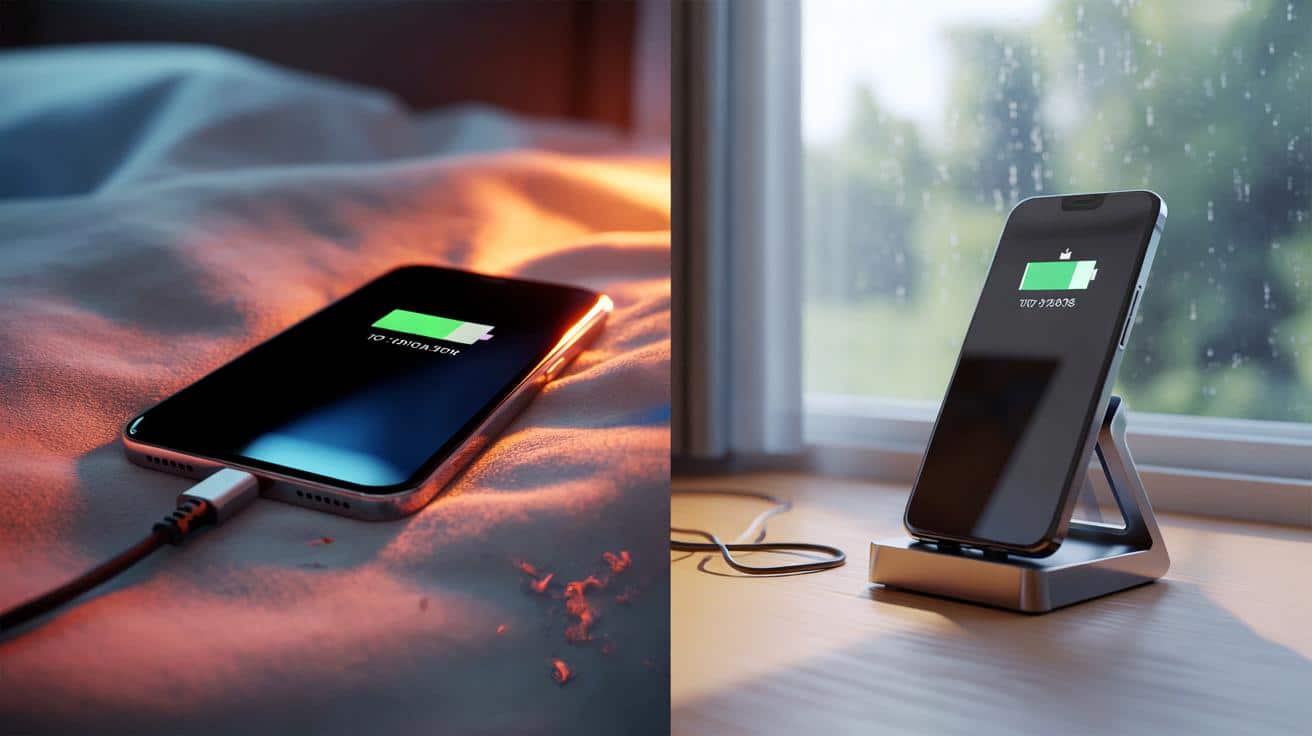
A “cycle” is cumulative — two 50% top-ups count as one. That means partial charging isn’t cheating the maths; it’s sharing the load. Day by day, the silent factor is temperature. A phone fast-charging on a duvet, or sunbathing on a car dashboard, ages faster than a cooler one on a desk.
Your phone’s management chip gently shifts gears as it fills. Charging is quick at first, then slows under a constant‑voltage phase near the top. That last stretch from 80% to 100% is the most stressful in chemical terms, especially if the device is warm.
Modern phones try to help. iPhones use Optimised Battery Charging to pause around 80% overnight, then top up before you wake. Pixels offer Adaptive Charging, learning your alarm. Samsung’s Protect Battery feature caps charging at 85%. **Charging to 100% is fine when you need the range.** The trick is not to live there all day.
How to charge smarter without turning into a lab technician
Use the tools you already have. Toggle Optimised Battery Charging on iOS. On Google Pixel, turn on Adaptive Charging. On Samsung, enable Protect Battery to limit the top end to 85% for daily use. If your phone supports routines, set an overnight cap during the week and allow 100% only on travel days.
Build small rituals. Top up in short bursts at your desk. Keep the phone on a stand for airflow. If you wirelessly charge, choose a slower pad and pop off thick cases that trap heat. A tidy desk beat a hot pillow any day.
People make the same mistakes because they’re human. Charging under a duvet traps heat. So does gaming while plugged in. Fast-charging in a sweltering car stacks stress. Let’s be honest: nobody really does that every day. So aim for “better”, not perfect. Warm to the touch is fine; hot is not.
When you need 100% — early flight, all‑day festival, marathon maps session — go for it. Use the full tank, then let the phone breathe later. Think seasons too: in summer, favour slower chargers or charge earlier in the evening when rooms are cooler. In winter, keep the phone out of bitter cold when it’s low, then warm it gently before charging.
There’s a simple checklist that keeps batteries happier without turning you into a spreadsheet person. **Battery ageing is chemistry, not mystery.** Lower voltage, less heat, and fewer hours at the extremes stack the odds in your favour. Once a month, let the battery gauge relearn by running from about 20% to near full in one go; it’s for the meter, not the chemistry. The rest of the time, live in the middle lanes.
“Battery life is a story of small habits. Avoid heat, avoid extremes, and don’t worry about perfection.”
- Keep daily charging in the 20–80% band when convenient.
- Enable Optimised/Adaptive charging; use Samsung’s 85% cap for routine days.
- Prefer slower, cooler charges at night; save fast chargers for sprints.
- Don’t charge on soft surfaces; use stands or hard tops for airflow.
- Store unused devices around 40–60% in a cool, dry drawer.
So… should you charge to 100%?
If you need the full day, yes. That’s what a battery is for. The harm isn’t in hitting 100%; it’s in living at 100% while warm for hours and hours.
Daily life looks like this: most days, let your phone hover between 30 and 85%, with smart charging doing the heavy lifting. On big days, fill the tank. On quiet evenings, slow‑charge and keep it cool. One choice at a time, you’re buying back months of healthy capacity.
We cut ourselves slack in other parts of life — the same applies here. You don’t need a lab. You need a few gentle defaults that make good outcomes likely. Next time the battery icon nags you, remember the simple rule your phone would whisper if it could: don’t sweat perfection, dodge the extremes, and keep your cool.
| Key point | Detail | Interest for the reader |
|---|---|---|
| Avoid extremes | Spending long hours near 0% or 100% accelerates wear, especially when warm | Simple habit shift that extends battery health |
| Heat management | Charging on soft surfaces or while gaming traps heat; cooler, slower charges reduce stress | Immediate, actionable fixes at home and work |
| Use smart features | Optimised/Adaptive charging and Samsung’s 85% cap limit high‑voltage time | Hands‑off improvements with one settings toggle |
FAQ :
- Is it bad to leave my phone plugged in overnight?Modern phones manage charging well and will taper off at the top. The risk is heat. Keep it on a hard surface, enable Optimised/Adaptive charging, and you’re fine.
- Does fast charging ruin batteries?Not instantly. Fast charging raises temperature, which nudges ageing upward. Use it when you need speed; prefer slower, cooler charges when you don’t.
- Should I drain to 0% to “reset” the battery?No. Deep discharges strain lithium‑ion cells. If your gauge seems off, do a gentle recalibration occasionally by running from about 20% to near full — it’s for the meter, not health.
- Is wireless charging worse than a cable?It’s a bit less efficient and can run warmer. A stand helps airflow, a thin case helps cooling, and a slower pad is kinder for overnight.
- How should I store a phone I’m not using?Leave it around 40–60% in a cool, dry place and check every couple of months. Avoid full charge or empty storage, and avoid heat.








Finally a clear explanation—lower voltage, less heat, avoid extremes. Turning on Optimized Charging tonight and ditching the hot pillow trick. Thanks for the sanity check! 😊